Typing Temple
Start Typing
Typing Temple
Improve your typing speed and accuracy through typing the bible.
What Is Typing Temple?
Welcome! TypingTemple is a website which provides you with a peaceful place to practice your typing skills, all-the-while drawing closer to God through typing the bible. You can choose from multiple bible versions, and narrow down to specific passages or even single verses which you would like to type. Continue reading to quickly learn how to set your options.
Steps To Begin Typing
Click any button labelled "Start Typing" to be taken to the typing page. At the top of the page you will see all the options to choose your desired bible passage. Follow these simple steps to get started:
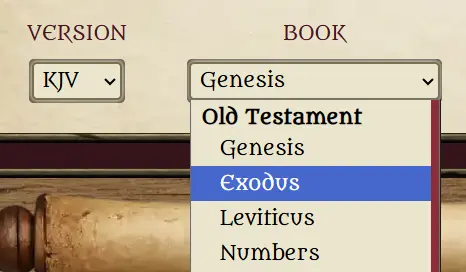
1. Choose Your Version & Book
Starting from the top-left, use the dropdowns to choose your desired bible version and the book which contains the passage you want to type.
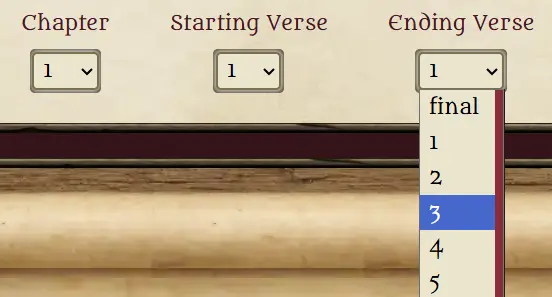
2. Choose Your Chapter and Verses
Next choose the chapter, the starting verse and the ending verse of the passage you want to type. If it's only one verse, then just choose the same ending verse as your starting. Also, the ending verse has an option labelled "final". This is the same as choosing the very last verse and is there for your convenience so you don't have to scroll down.
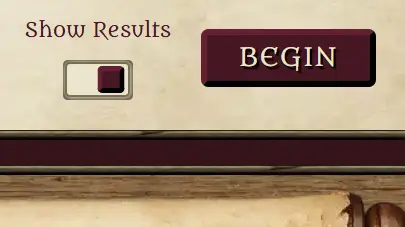
3. Choose to Show/Not Show Results & Begin!
You're almost ready! Just decide whether you want to show your typing results when finished. This option is toggled on by default. When you finish, it will show you your typing speed in words-per-minute (WPM) as well as your accuracy. But you can toggle it off if you don't want to see those and just want to relax. That's it! Click "Begin" and get ready to type!
Available Versions & Copyright Information
King James Version (KJV)
Public Domain
New International Version (NIV)
The Holy Bible, New International Version® NIV® Copyright © 1973, 1978, 1984, 2011 by Biblica, Inc.® Used by Permission of Biblica, Inc.® All rights reserved worldwide. To learn more, visit http://biblica.com and http://facebook.com/Biblica.
New King James Version (NKJV)
New King James Version®, Copyright © 1982, Thomas Nelson. All rights reserved. http://harpercollins.com
New Living Translation (NLT)
Holy Bible, New Living Translation, Copyright © 2014, Tyndale House Publishers. All rights reserved. tyndale.com
World English Bible (WEB)
Public Domain